Choose what to photograph
Observe the park and frame the subject or reaction you want to turn into news.
Unofficial guide to the Roblox experience
You are a journalist working for Big Media. Your photographs reshape a park of circles and squares: feed the panic, or look for a more hopeful outcome.
The original game is played on Roblox. This site provides guides and in-page walkthrough videos.
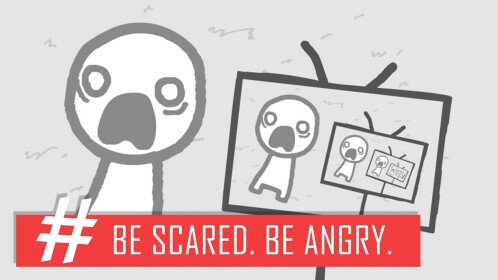
Mechanical Boy LLC’s Roblox experience casts you as a journalist whose park photographs can spread panic or hope. It draws inspiration from Nicky Case’s We Become What We Behold.
Observe the park and frame the subject or reaction you want to turn into news.
Follow the television and the crowd’s reactions before deciding what to capture next.
Use the written route steps and embedded video chapters to compare outcomes.
Start with short, self-contained routes to learn framing. Then explore story branches; save timing-sensitive routes for when you know the park. This is our suggested learning order, not a game requirement.
Choose a route, read the photo sequence, and use the matching video chapter when timing is unclear.
Spoilers: these pages describe branching outcomes.
Saved in this browser only. Checking a box records your note; it does not unlock or sync a Roblox achievement.
Escalate the park’s conflict through the news.
Read step-by-step guide →An opening-screen detour rather than a long park run.
Read step-by-step guide →Make the television the subject of its own broadcast.
Read step-by-step guide →Give the newsroom an empty scene instead of a character story.
Read step-by-step guide →Fit a crowd into one photograph.
Read step-by-step guide →Keep the victim in view while excluding the aggressor.
Read step-by-step guide →A hopeful route with conflicting published instructions.
Read step-by-step guide →Follow the protest instead of switching back to violence.
Read step-by-step guide →A timed branch that keeps attention on hats.
Read step-by-step guide →At the late conflict event, put the camera down.
Read step-by-step guide →Wait for a posed expression rather than snapping immediately.
Read step-by-step guide →Follow the early payment instead of the later panic.
Read step-by-step guide →Keep the intended subject in the frame and watch the broadcast before shooting again. Who you include — and who you leave out — can change the route.
Learn the shared opening →These subject cues come from the linked community walkthroughs. Use them to identify what belongs in the frame; they are not guaranteed spawn coordinates.
Open a chapter here while following the written guide. One chaptered walkthrough, with the creator’s timestamps; videos play on this page.
Roblox Master Guides · YouTube
Play the original through its official Roblox page. This website offers written guides and embedded videos; the separate cheese puzzle is our own browser game.
No. Mechanical Boy LLC’s Roblox photography story and Project Genius’s physical rolling-mice puzzle are unrelated products. The tabletop rules have their own page.
We have not obtained a developer-confirmed active code list for this guide. Do not use another game’s door codes or random strings. Follow official announcements; no purchase or code is required for our separate browser puzzles.
Ask which subject actually filled the frame. A TV with a passerby, a fear portrait with the aggressor, or a photograph taken before a reaction can tell a different story. Watch the broadcast feedback, compare the linked chapter, and restart with one target if the sequence has drifted. Mark your checklist only after the in-game ending confirms.
This guide covers the 12 routes in the cited chaptered video. New secret-ending claims are not treated as confirmed additions here. Check the current in-game collection menu and developer information for the latest total.
These 12 names and timestamps come from Roblox Master Guides’ video description. We verified the published chapter list, not each in-game trigger. The list is not a developer-confirmed count or a claim of the current version.
Community walkthrough · not independently playtested · Source checked: 5 November 2026. Gameplay may change; the official page takes precedence.
These are separate games. Neither is the Roblox park-photography experience.